Start by installing the app from the marketplace.
Twilio Account Requirements:
1. Ensure you have a paid Twilio account to use this app.
2. Purchase a Twilio Dedicated Number:
3. To buy a Twilio phone number, navigate to this link.
Validate Freshdesk Account:
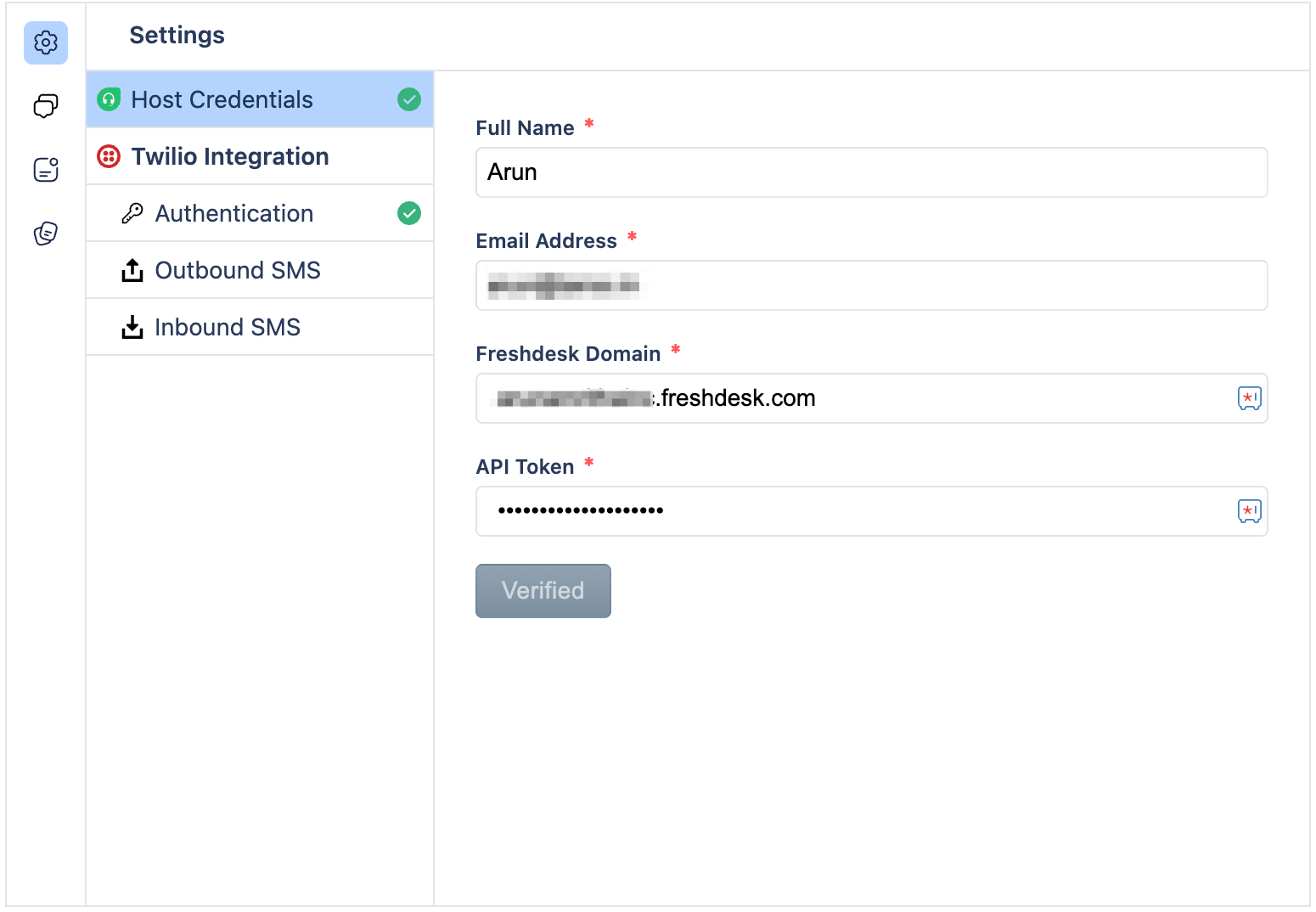
Enter the following integration settings to validate your Freshdesk account:
1.Freshdesk domain
2.Freshdesk API key
3.Click on "Verify Freshdesk Account." A success message will confirm successful validation.
Validate Twilio Account:
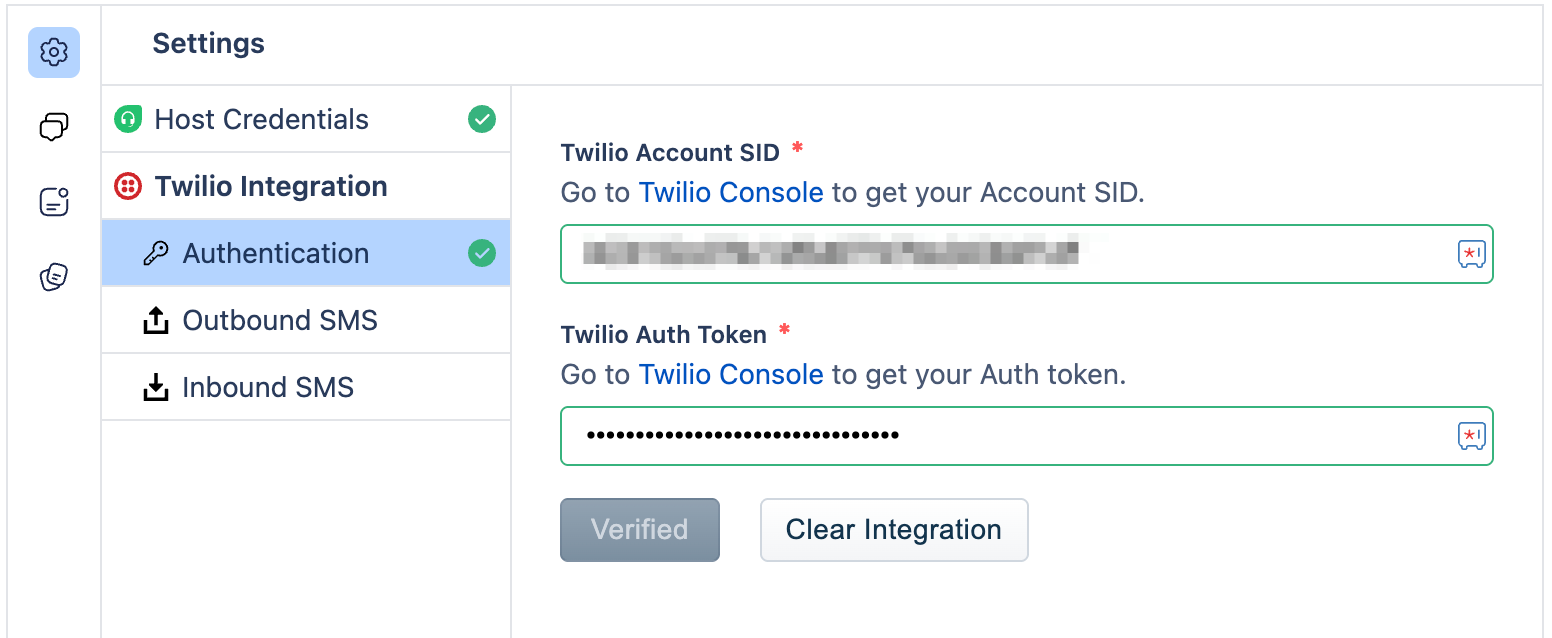 Enter the following integration settings to validate your Twilio account:
1.Twilio SID
2.Twilio Auth Token
4.Click on "Verify." A success message will confirm successful validation.
Configure Outbound SMS settings: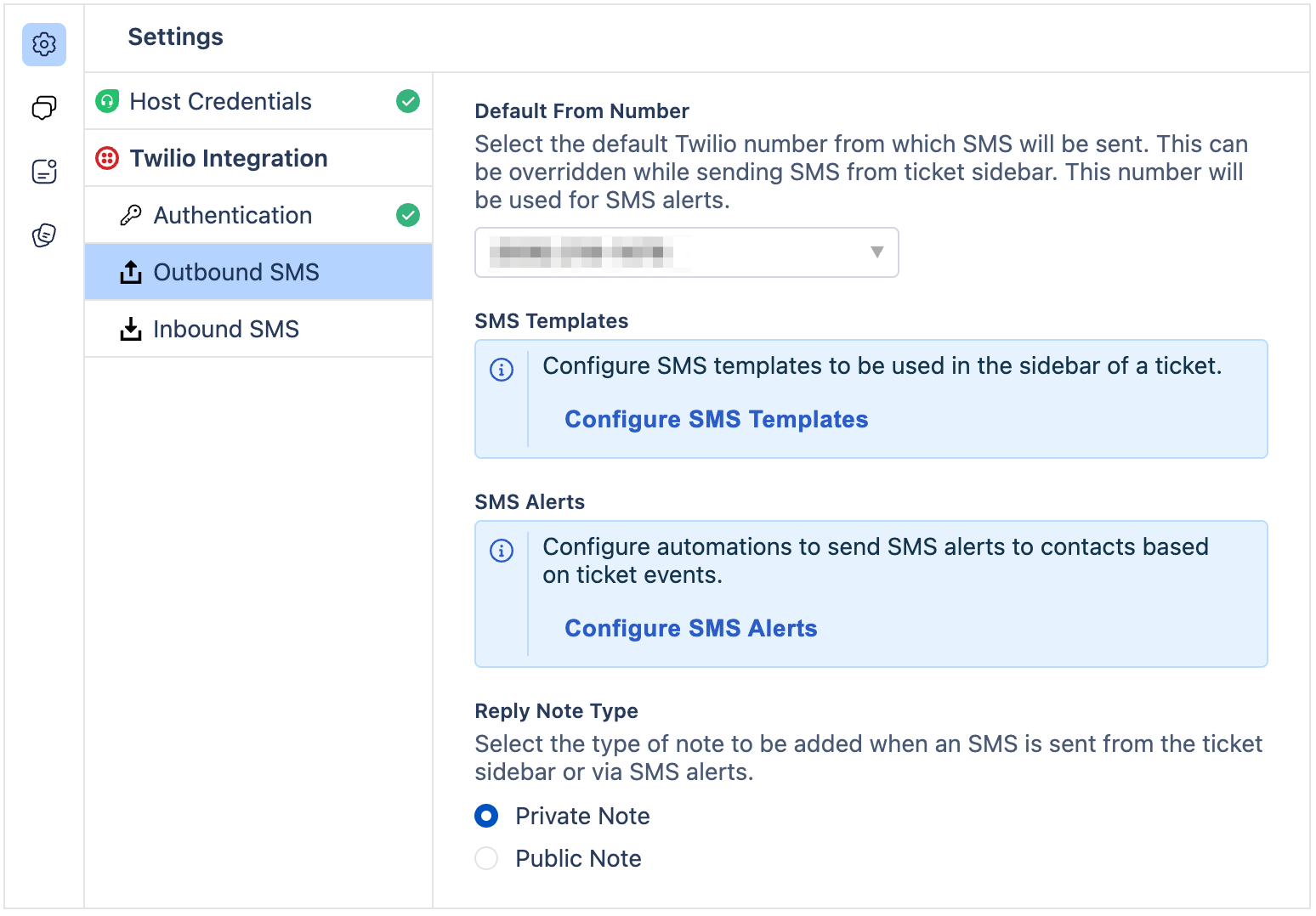
Configure Inbound SMS settings:
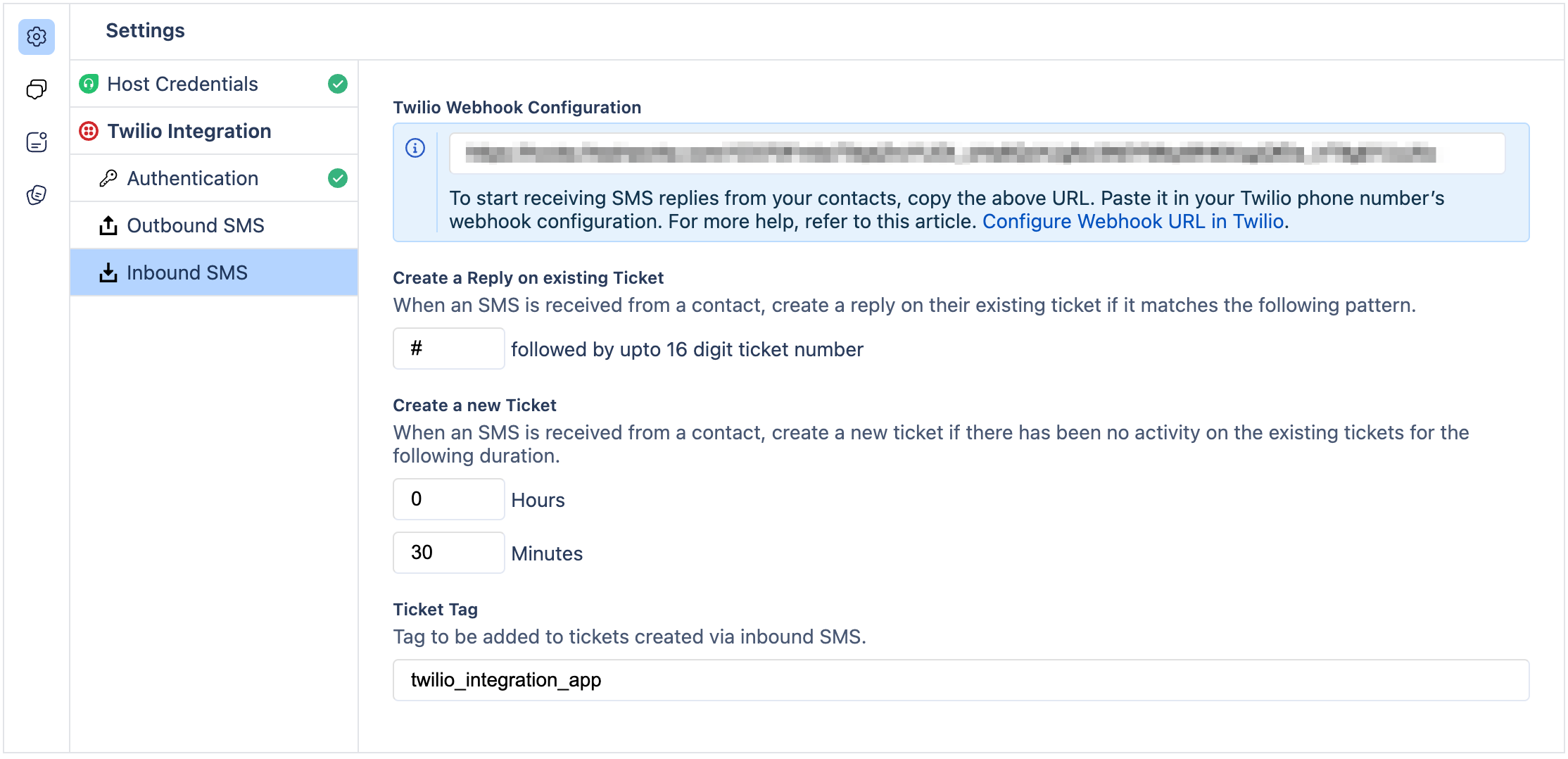
Configure SMS Templates: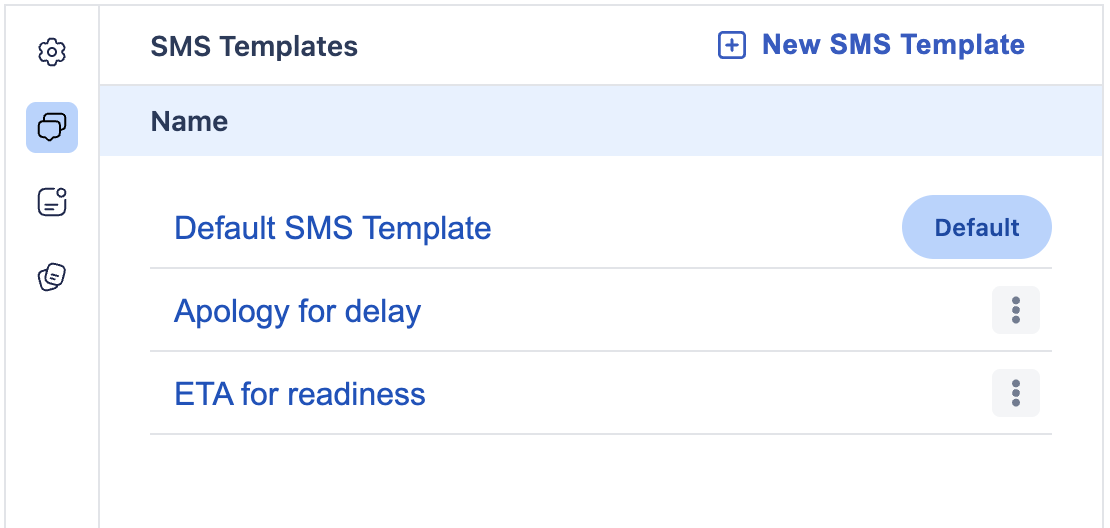
Configure SMS Alerts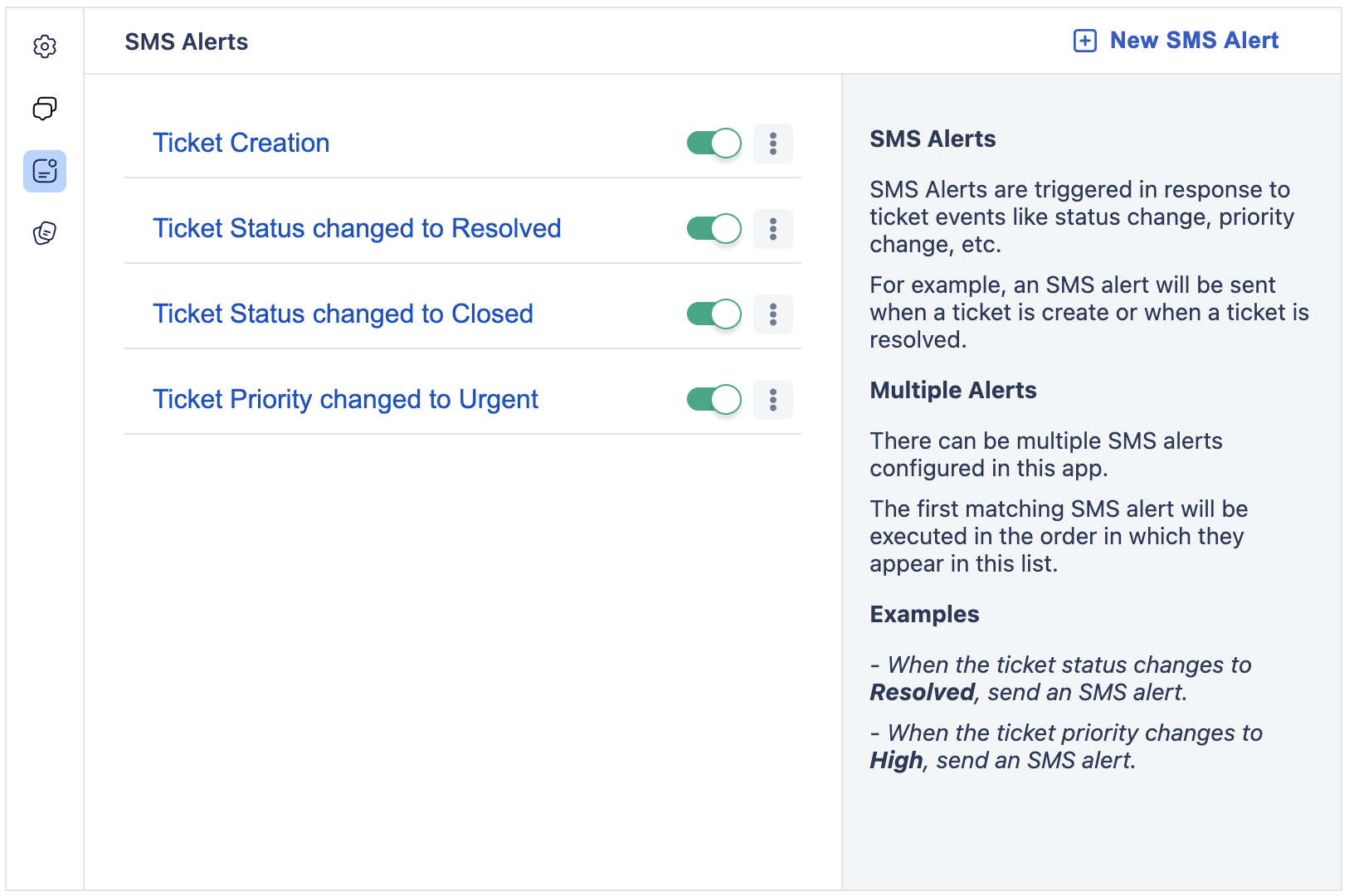
Final Step:
Complete the installation process and start using the app to enhance your Freshdesk support with SMS capabilities.
Was this article helpful?
That’s Great!
Thank you for your feedback
Sorry! We couldn't be helpful
Thank you for your feedback
Feedback sent
We appreciate your effort and will try to fix the article